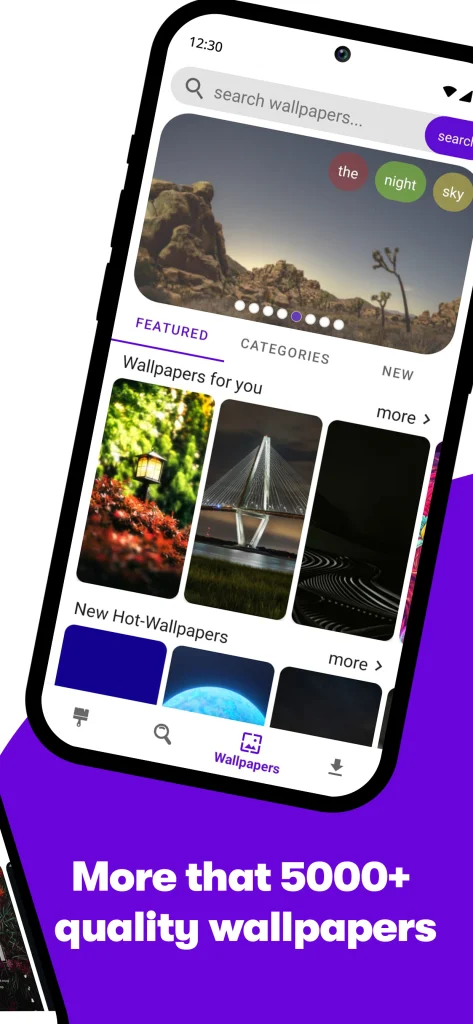
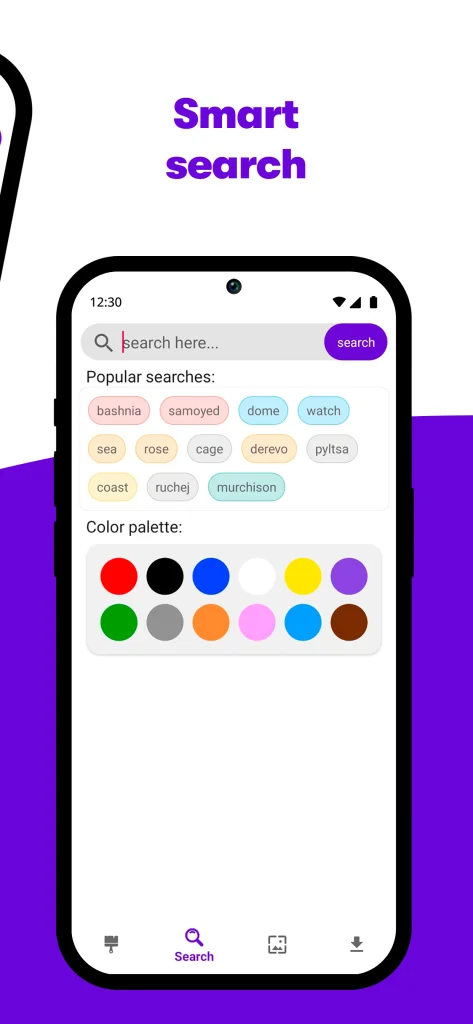
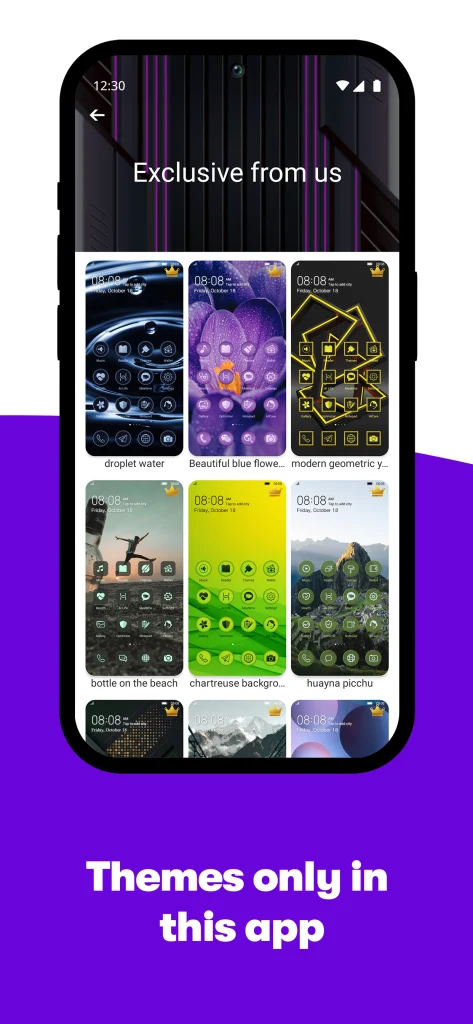
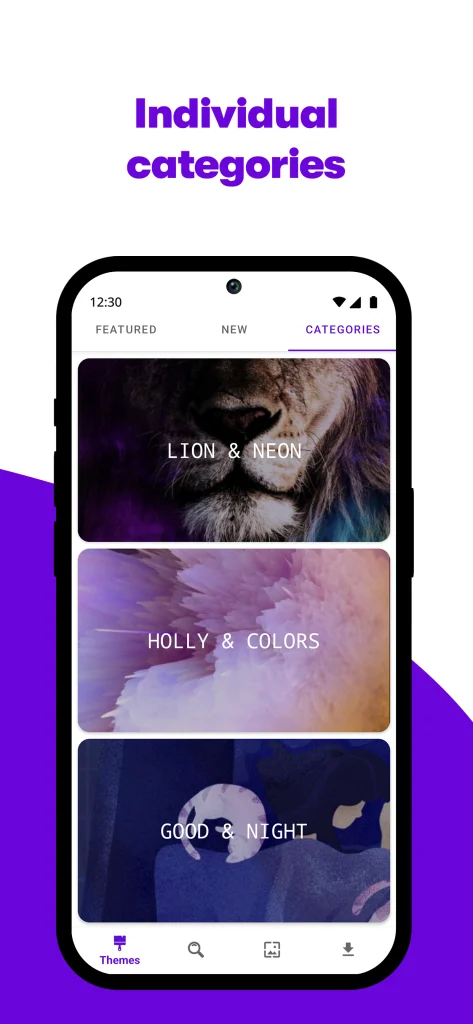
A smartphone can feel completely different with a simple change to its appearance. The same icons, lock screen and home screen that you have looked at for months may start feeling repetitive. Huawei and Honor users can refresh these elements through themes without replacing their phones or installing a completely different launcher. The Huawei Themes Mod APK offers an option for users who want more control over how their device looks.
Whether you prefer a clean interface, colourful icons, dark backgrounds or a design inspired by nature, themes can help give your phone a more personal appearance. However, choosing the right theme involves more than finding an attractive preview. Device compatibility, EMUI version and the way individual interface elements are designed can all affect the final result.
A Personalised Interface Starts With the Right Theme
Your phone’s interface is something you interact with throughout the day. App icons, notification panels, wallpapers and lock screens contribute to how comfortable and familiar the device feels. A well-designed theme brings these elements together so the overall appearance feels consistent rather than randomly customised.
The Huawei Themes Mod APK is intended for users interested in exploring different visual styles for compatible devices. Instead of changing the phone’s core functionality, theme customisation focuses mainly on its appearance. This makes it an appealing choice for people who want a fresh interface while keeping their existing apps and familiar navigation.
Some users enjoy minimal designs with simple icons and neutral colours. Others prefer bold backgrounds, detailed illustrations or dark visual styles. Having different design options makes it easier to find an appearance that matches your personal taste.
What Can You Change With Huawei and Honor Themes?
The level of customisation depends on the theme and the software version installed on your device. Certain themes may change several interface elements together, while others focus on specific visual details.
Home Screen and App Icons
App icons are among the first things people notice after unlocking a smartphone. A theme may replace the standard icon artwork with rounded shapes, colourful illustrations or simplified designs. This can make the home screen look more organised and visually consistent.
Before applying a theme, check whether its icon pack covers the apps you use regularly. Some third-party applications may retain their original icons if the theme does not include matching artwork. This is normal and does not necessarily indicate a problem with your phone.
Lock Screen Appearance
The lock screen creates the first visual impression whenever you wake your device. Depending on the available design, themes may offer different backgrounds, clock arrangements and decorative elements.
A good lock screen should balance appearance with readability. Avoid designs where bright graphics interfere with the time, date or notification information. A visually attractive background is less useful if you struggle to read important details.
Wallpapers and Colour Combinations
Wallpapers can completely change the atmosphere of a smartphone. Nature-inspired images, abstract artwork, geometric patterns and dark backgrounds are popular choices for different visual preferences.
Try selecting a wallpaper that works well with your app icons and text. A background with too many bright details can make the home screen feel crowded. Softer colours and balanced contrast often create a more comfortable viewing experience.
Choosing a Theme That Matches Your Smartphone
Not every attractive design will look equally good on every Huawei or Honor phone. Screen dimensions, resolution and software differences can affect how a theme appears after installation.
Start by checking the theme’s compatibility information. Huawei devices use different EMUI versions and some Honor models run MagicOS or other software versions. Although these systems share parts of their design history, their theme support and installation methods are not always identical.
Consider your everyday usage before selecting a design. A dark theme may suit someone who prefers a low-brightness interface, while a colourful theme may appeal to users who enjoy expressive home screens. If you frequently check notifications, choose a design that keeps text and interface controls easy to recognise.
It is also worth checking whether the theme changes the entire interface or only selected elements. Preview images do not always show how every screen will look on your particular device.
How to Apply a Theme on Huawei and Honor Devices
The installation process depends on your phone model, software version and the source of the theme. Many supported Huawei devices provide access to themes through the built-in Themes application.
A typical process involves the following steps:
- Open the Themes application on your smartphone.
- Browse the available designs and select one that interests you.
- Check its preview and compatibility details.
- Download the theme if it is available through the supported service.
- Select the Apply option and allow the interface to update.
- Return to your home screen to check the changes.
If you are using a theme from an external source, follow the installation instructions provided for your specific device. Some theme files may require a compatible format or additional steps. Avoid installing files from unknown websites simply because they promise exclusive designs.
If a theme does not appear correctly, return to the default theme and check whether your device software supports the downloaded file.
Common Problems to Check Before Installing Themes
Theme customisation should not make everyday phone usage difficult. A few checks can help prevent unnecessary problems.
Incompatible software versions: A theme created for an older EMUI release may not work properly on a newer version. Always check compatibility before downloading.
Incomplete icon coverage: Some app icons may remain unchanged because the selected design does not support every application.
Unreadable text: Certain combinations of background colours and interface elements can reduce visibility. Prioritise readability over decorative effects.
Unexpected installation requests: Be cautious if an external theme download asks for permissions unrelated to its purpose. Avoid suspicious APK files and unofficial installation packages.
Storage consumption: High-resolution wallpapers and downloaded theme resources may occupy additional storage. Remove designs you no longer need to keep your device organised.
These considerations are particularly useful when exploring themes outside the official Huawei Themes ecosystem.
Built-In Themes or External Theme Applications?
Huawei’s built-in Themes application is generally a convenient starting point because it is designed around supported device software. Depending on your region and device, it may provide wallpapers, icon styles and complete interface designs through its available catalogue.
External theme applications can offer another way to discover visual ideas and designs. However, their features vary considerably. Some may provide wallpaper collections rather than complete system themes, while others may depend on manual installation.
The EMUI Themes for Huawei & Honor App can be worth exploring if you want to discover additional design possibilities. Before relying on any particular feature, verify what the application actually provides, whether it supports your device and whether its downloads come from a trustworthy source.
Keeping Your Customised Interface Practical
A personalised smartphone should still be comfortable to use. Changing every visual element at once may look exciting initially, but a consistent design often works better over time.
Try combining a simple wallpaper with coordinated icons instead of using several competing visual styles. Keep important applications easy to identify and avoid backgrounds that make notification text difficult to read. If your chosen theme feels distracting after a few days, switching to a simpler design is perfectly reasonable.
Regularly check for updates to your phone’s software and use trusted sources when downloading new themes. Also remember that changing a theme does not automatically improve battery life, device speed or system performance. Its primary purpose is visual customisation. You can also download Chamet Mod APK.
Give Your Huawei or Honor Phone a Style That Feels Right
A smartphone does not need a new launcher or complicated modifications to feel different. The right combination of wallpapers, icons and lock screen elements can make a familiar device feel more personal. The Huawei Themes Mod APK provides an option to explore this kind of visual customisation, particularly for users who enjoy experimenting with different interface styles.
Before choosing a design, focus on compatibility, readability and the customisation features actually supported by your phone. A theme that looks attractive while keeping everyday functions familiar is usually a better choice than one selected purely for its appearance.